 FR
FR  EN
EN Custom IT services & Cloud App deployment for schools, universities, and non-governmental organisations
Education is the most powerful weapon which you can use to change the world.

Cost savings, efficiency benefits, freedom and autonomy
And as a matter of fact, the same situation also applies for many educational establishments who chose the same solution as Airbus did: the Sorbonne, the Every university, the côte d'Azur university, the school group Notre Dame Castres etc.
This software is named GLPI and is one of the free and open-applications that we propose.
GLPI who was created more than 20 years ago, is the result of the collaborative work of many independent developers but is also constantly maintained and improved thanks to a private company of more than 200 hundred employees who provide non mandatory hosting and support services, this company is known as TecLib
Thanks to the collaborative nature of this project which has involved many different actors since its beginning, it is not destined to become a paid software in the future except for support services, remote hosting or customization.
Collaborative repository of the project
Official website
Wikipedia page
Interview from its founders (in French)
Clear visibility of the resolution chain
-From main tickets(parents), secondary-tickets can be created(children) and their status are visible inside the parent ticket which allows you to know directly where a request may be blocked.
-Each person or groups of persons involved in a ticket are assigned to specific roles for the present ticket : person in charge, watchers, requester, external partners.
-Tickets have a transfer capacity from one department to another coming along with an action log showing any performed action.
Information clarity and communication efficiency
-Tickets can be linked to any item type: project item, global task, localization, requirement, group, but also to knowledgebase items which allows the use of centralized solutions.
This last feature lets your employees easily identify which tickets have received a specific solution from the knowledgebase. If one comes to modify the knowledgebase item, then the linked tickets have their solution updated.
-The custom forms for your departments requests will help you to collect pertinent information thanks to mandatory fields and conditional fields.
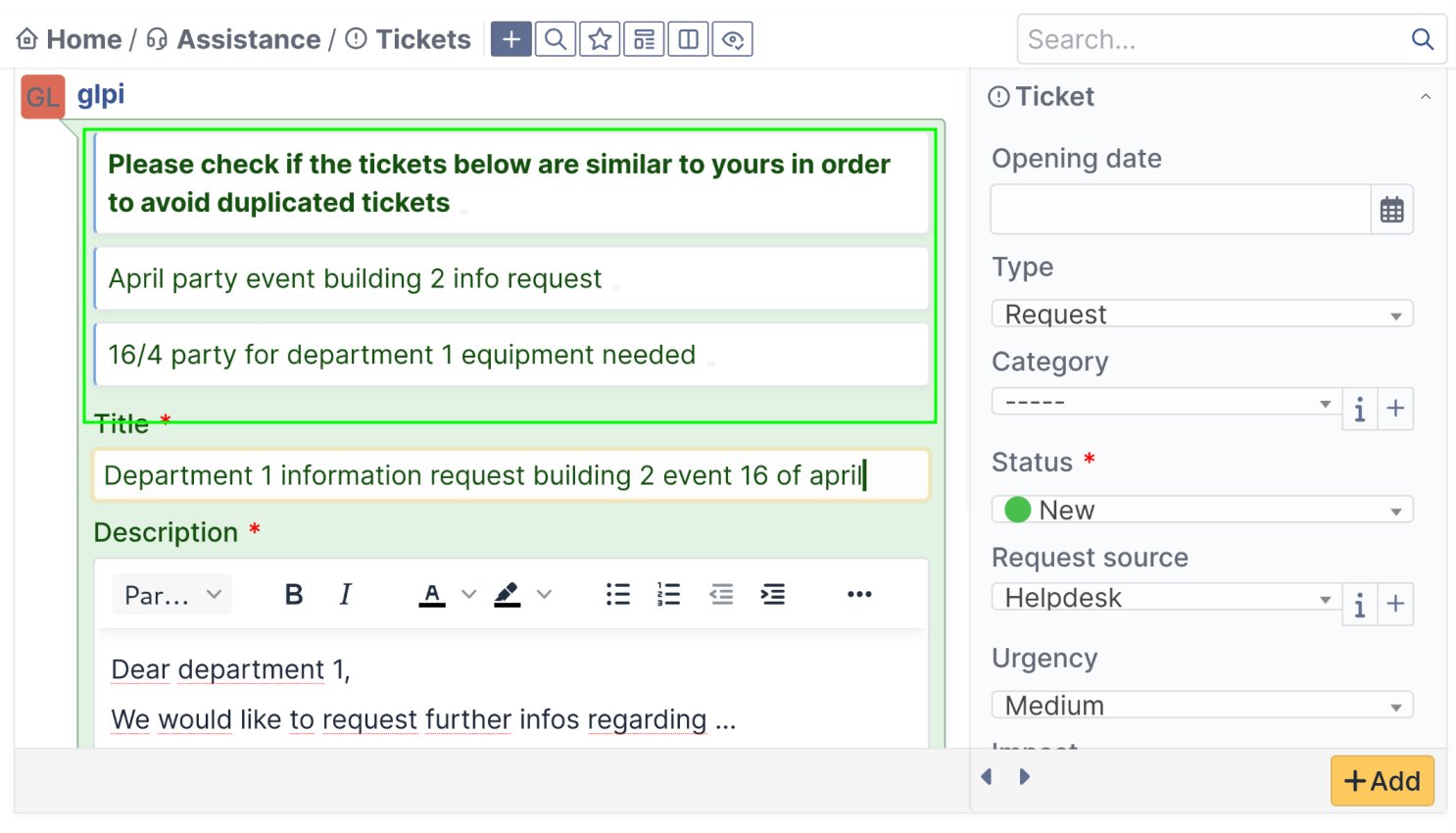
-On ticket creation, other similar tickets are suggested in order to avoid duplicate tickets.
Check out here pictures of those features among plenty of other
Here, the right for freedom and autonomy are defended thanks to good practices :
-Set up of a local hosting for your tools&services or remotely in a data center of your choice or following our recommendations
-Training classes for your employees for the chosen tools or services.
-A clear documentation for both your end users and technical employees.
-Access to a forum to interact with other IT employees from other companies using the same tools and services.
Note that most of the It solutions that we propose do have their own online forum and Github repositories where technical issues are publicly discussed.
Learn more about our deployment process
Numerous tools customized according to your needs
Ticketing & SupportRequest management |
| Answer directly by email without the need to connect on line |
| Task planification and private notes for your employees inside the conversation thread with the person making the request |
| Custom forms with mandatory and conditional fields |
| Request approvals set up with a percentage of members of a group |
| Duplicate item detection/similar items visible at the moment of the ticket creation |
| Children(secondary) ticket creation with status visibility inside the main ticket(parent ticket) |
| ... |
| More info |
Community managementPrivate or public forum and instant messaging tools |
| Answer to conversations by email without login |
| Specific user mentions inside the conversations to generate single mail notifications toward this user only |
| Answer notifications by pop-up inside the browser and availability status, |
| Subscriptions to categories with email notifications |
| Event creation |
| Follow-up of users having different roles |
| Moderation and private threads |
| ... |
| More info |
Resources managementManage your equipement and its stock |
| Cost management, licenses, providers |
| Localization |
| Tickets/requests can be assigned to equipments directly |
| Knowledgebase items can be linked to equipments or equipment groups |
| End-user equipment attribution and employee in charge |
| Life cycle and history log |
| Booking authorization per equipment |
| ... |
| More info |
Collaborative workInternal & external communication |
| Data sharing with permission/access management |
| Newsletters and contact list |
| Intranet, blogs, and private or public information pages |
| Chat rooms(public or private) |
| Instant messengers |
| Knowledge base with access management |
| ... |
| More info |
Booking and RSVPWorkshops, events, équipements, workforce |
| RSVP for events, meetings, workshops, etc. |
| Check-in and check out for any equipments and automated reminders |
| Individual calendars for equipements and rooms |
| Global workforce availability calendar |
| Notifications, reminders, updates |
| External calendar imports |
| Internal calendar exports and synchronization |
| Modification history/log |
| ... |
| More info |
Tailor-made applicationsAccording to your needs and available on multiple plateforms |
| Web applications, Iphone & Android |
| More info |
A step by step deployment preparation
Establishment of your departments practical and technical needs
We are open to discuss, with each departments, in order to understand:
- the current way of working with the tools that are already in place
- the expectations regarding the new tools and how they see themselves using it.
Summaries from the mentioned points and requests can be made and validated with a local person responsible with it department.
Those summaries will be used according to what is feasible as a roadmap to help deploying the new tools with a configuration fitting the different departements.
Technical feasibility analysis
If you choose a local hosting of the services, it will also be necessary to evaluate what can be done in regard of the present hardware infrastructure.
Both for remote or local hosting we also need to know the needs in terms of traffic, availability, redundancy, and backups for the services/tools that are being deployed.
Other technical analysis may be necessary, like for the import(or the connection to) your current databases within the newly deployed tools: CMDB(IT inventory), stock, users list, present knowledge bases, folders etc. The latest and other databases must be checked in order to know what technical means are necessary for their import and/or conversion or how to connect them within your network.
Administrative an practical implementation lay-out proposal
Discussions and adjustments until project approval
Technical roll-out project establishment
“Get started with the new tools” practical migration roll out project establishement
Discussions, adjustments, approvals, and agreement on a start date
Open-source and collaborative development projects often lead to the creation of unique innovative features thought for users and/or made by users.
Here are a few examples of features which were for some of them thought by users and which can have for the majority an individual configuration according to the needs of your departements :
Information centralization to generate communication and organizational clarity
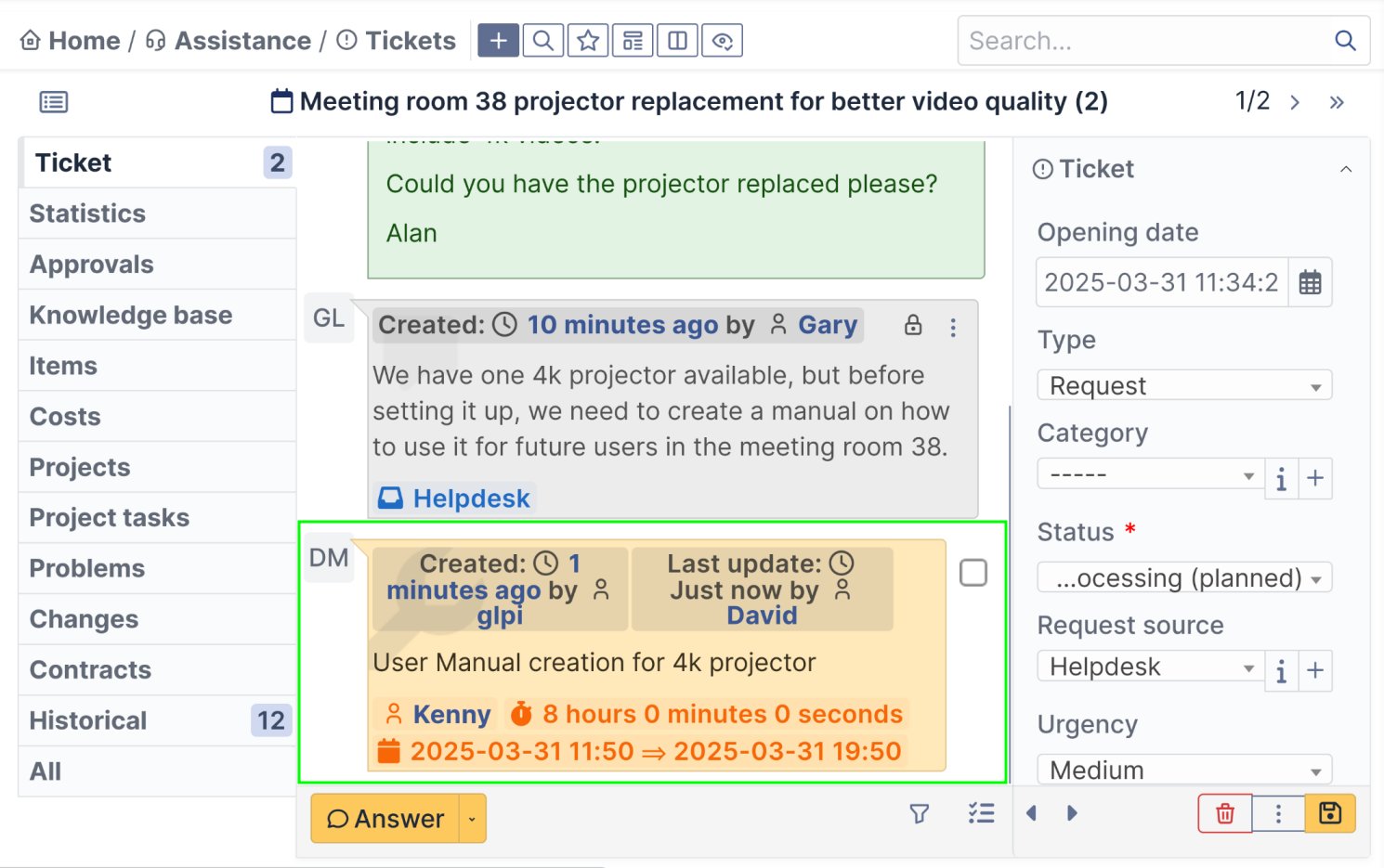
Ticket threads, gathering tasks, calendars, resources, privates notes, status, and external communications
Work instead in a stream gathering task attribution, resources calendar view, private notes, status, and the communications with the end-users and external third parties.
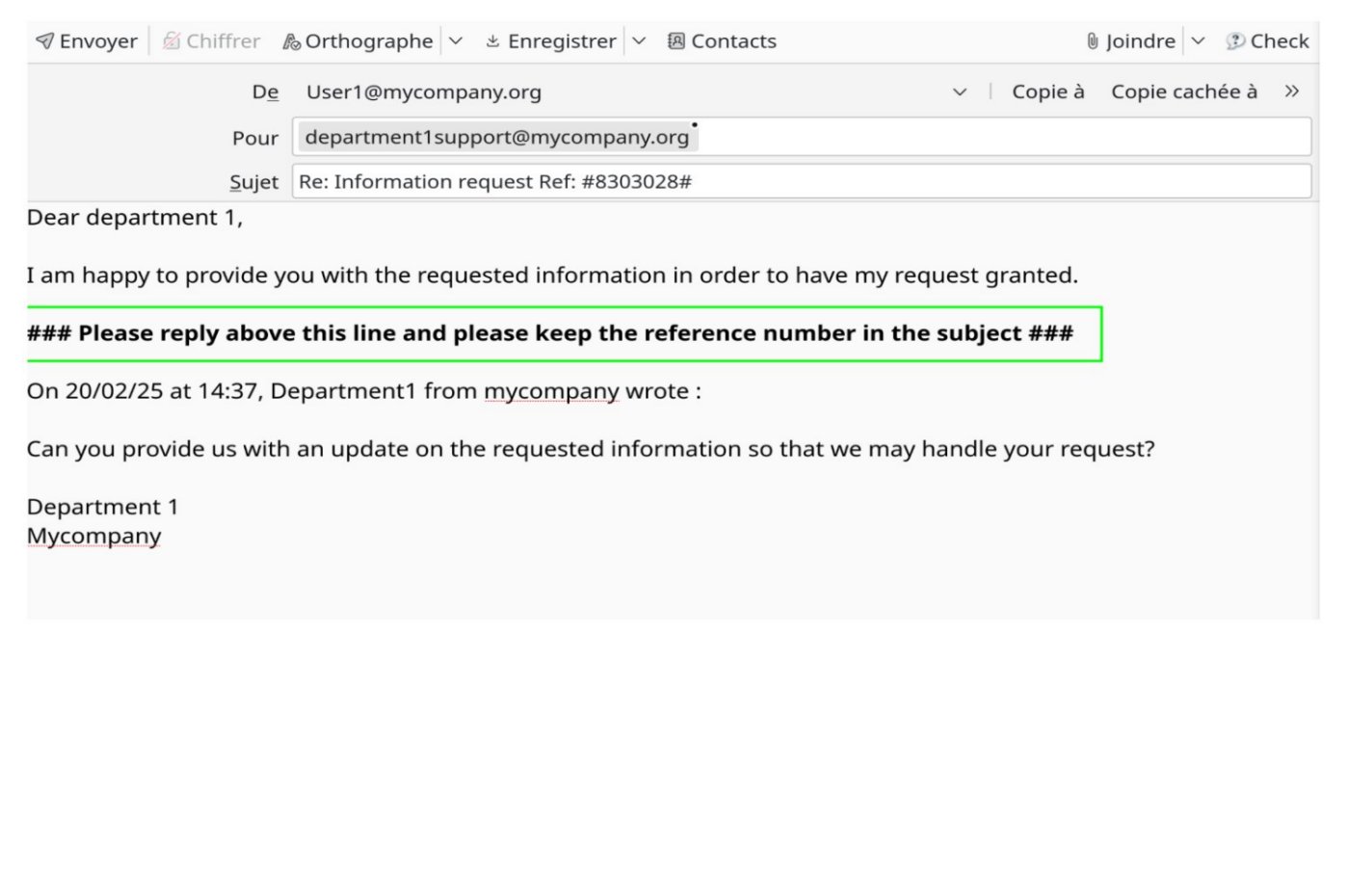
Email answers without the need to log-in
You may also add to the ticket persons outside your organization who don’t have an account in your system like external partners so that they can follow the ticket or answer to it without authentication.
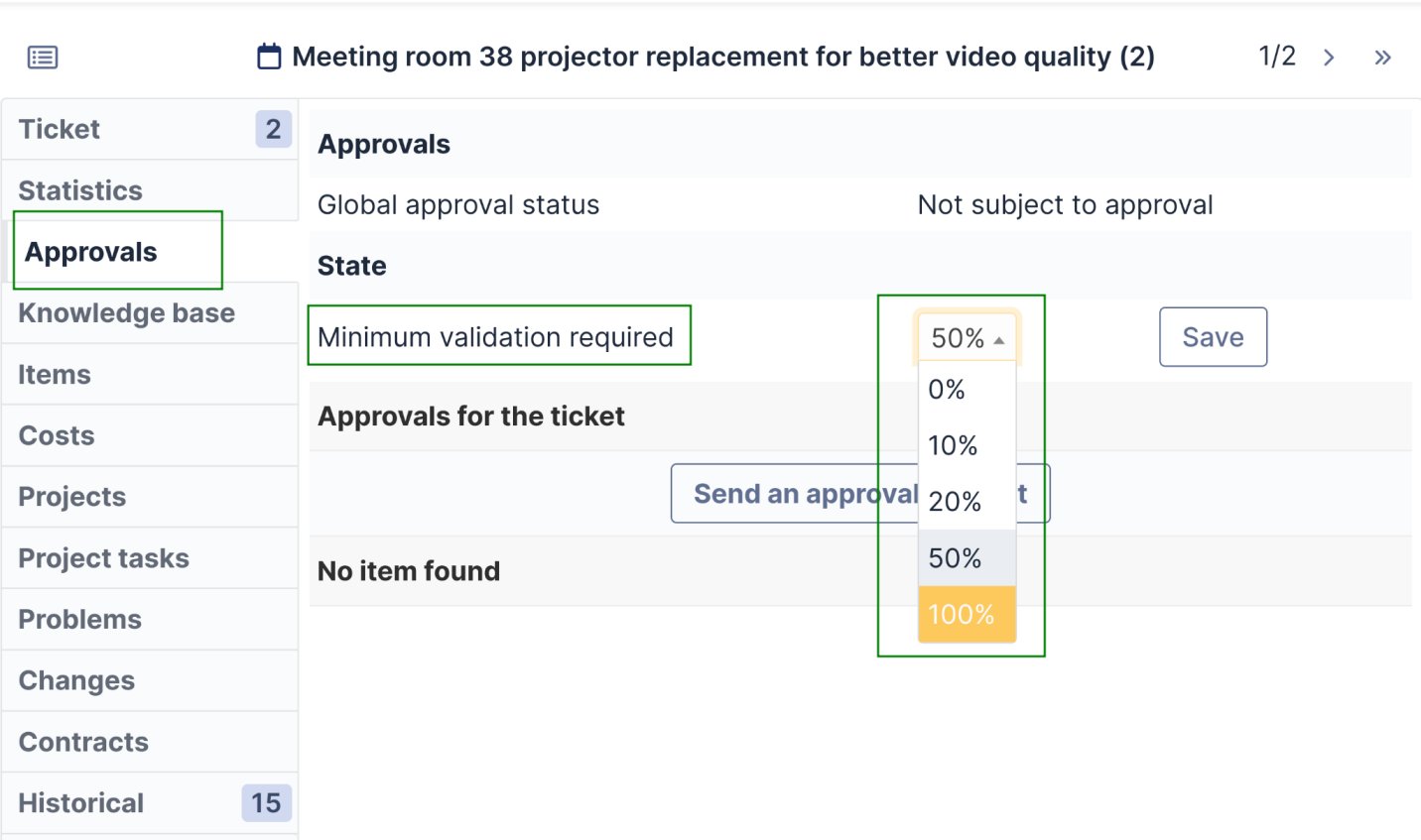
Automatically generate approvals requests when a ticket is created
And for example in a situation where only 1 person is necessary to approve the request, then the first person approving it will cancel the need for other persons in the approval group to validate it as well.
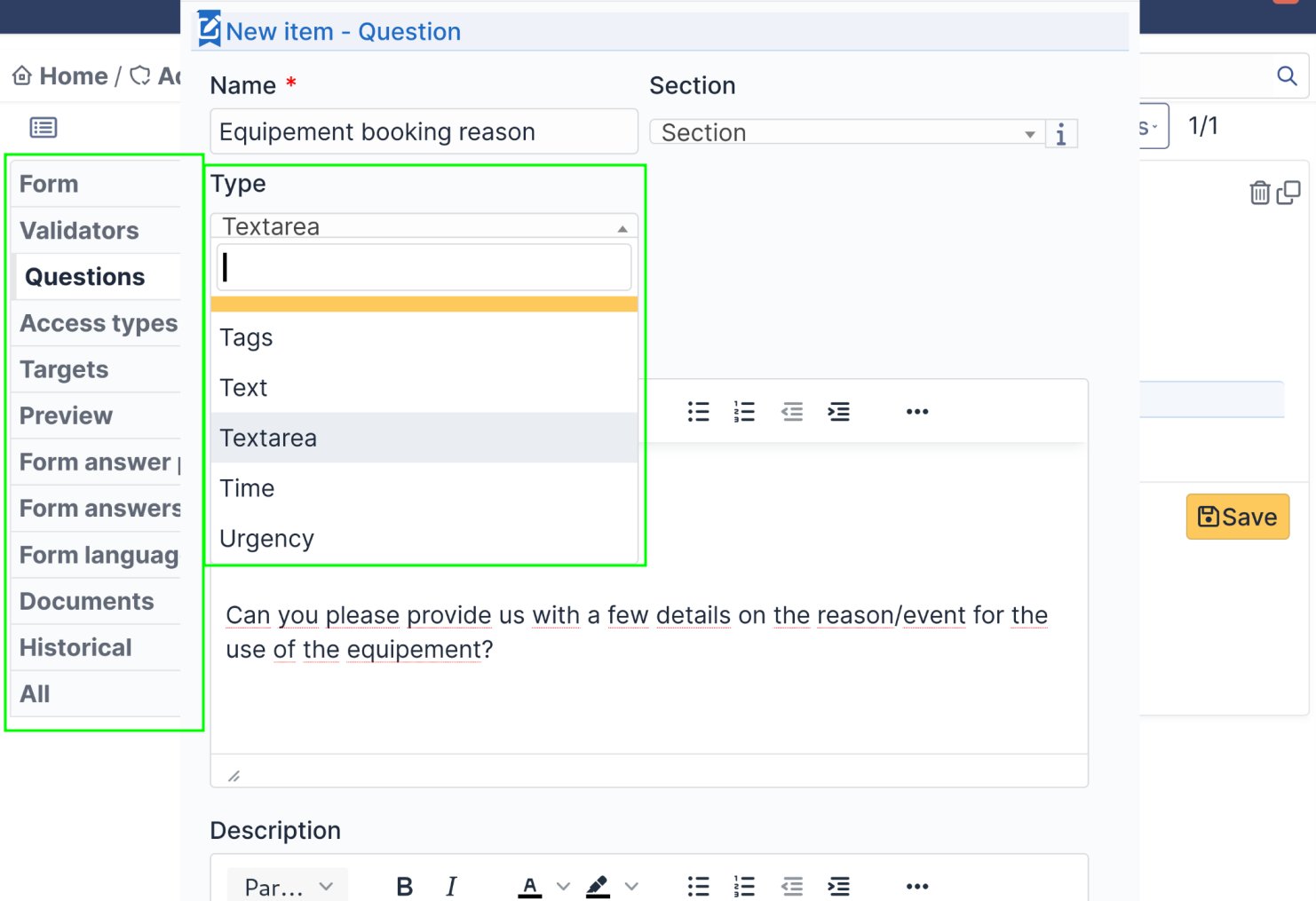
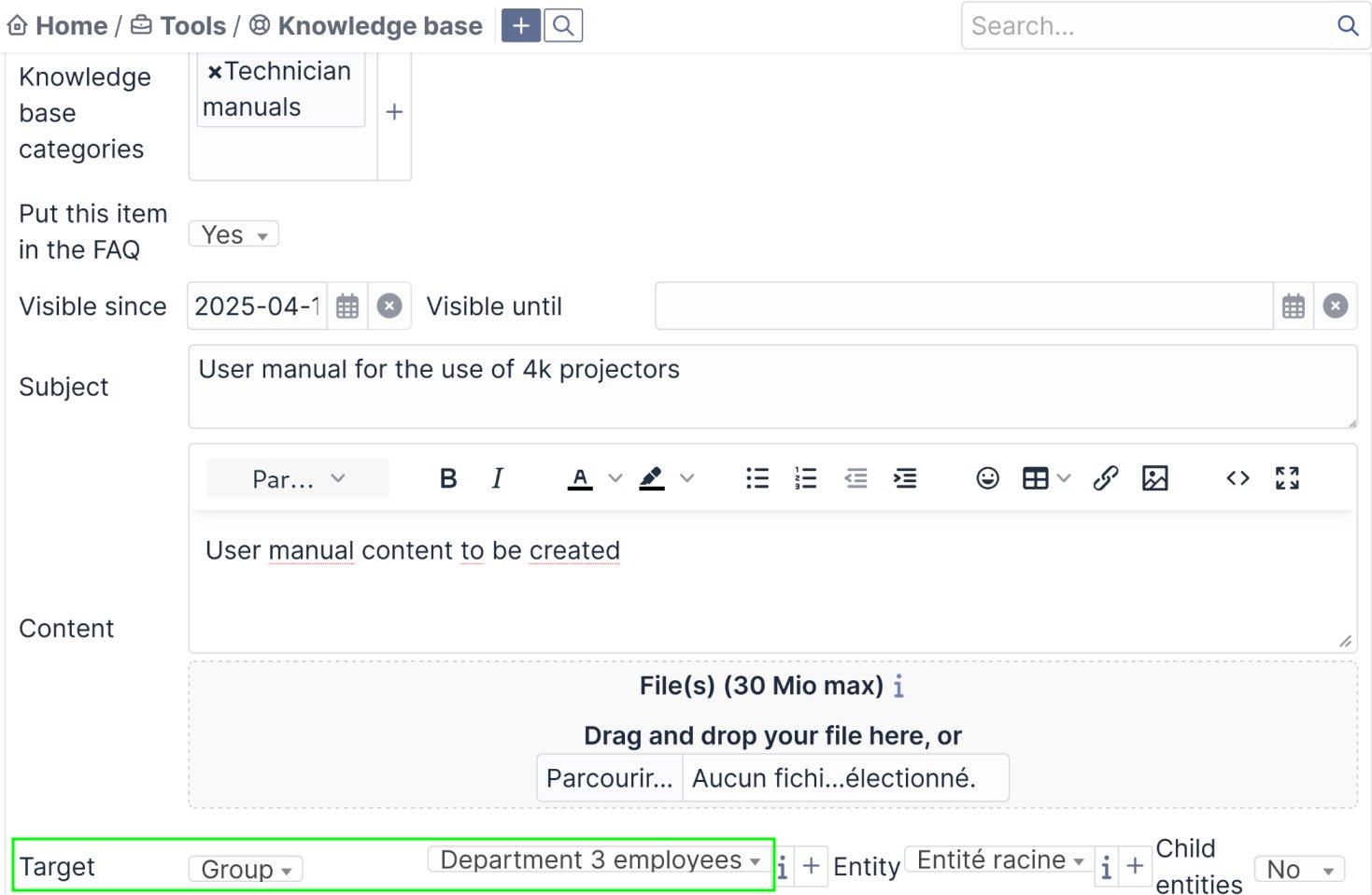
Knowledge base with access restriction and linked to tickets
You may also integrate knowledge base items directly to FAQ so that it appears on groups, users, or department start pages.
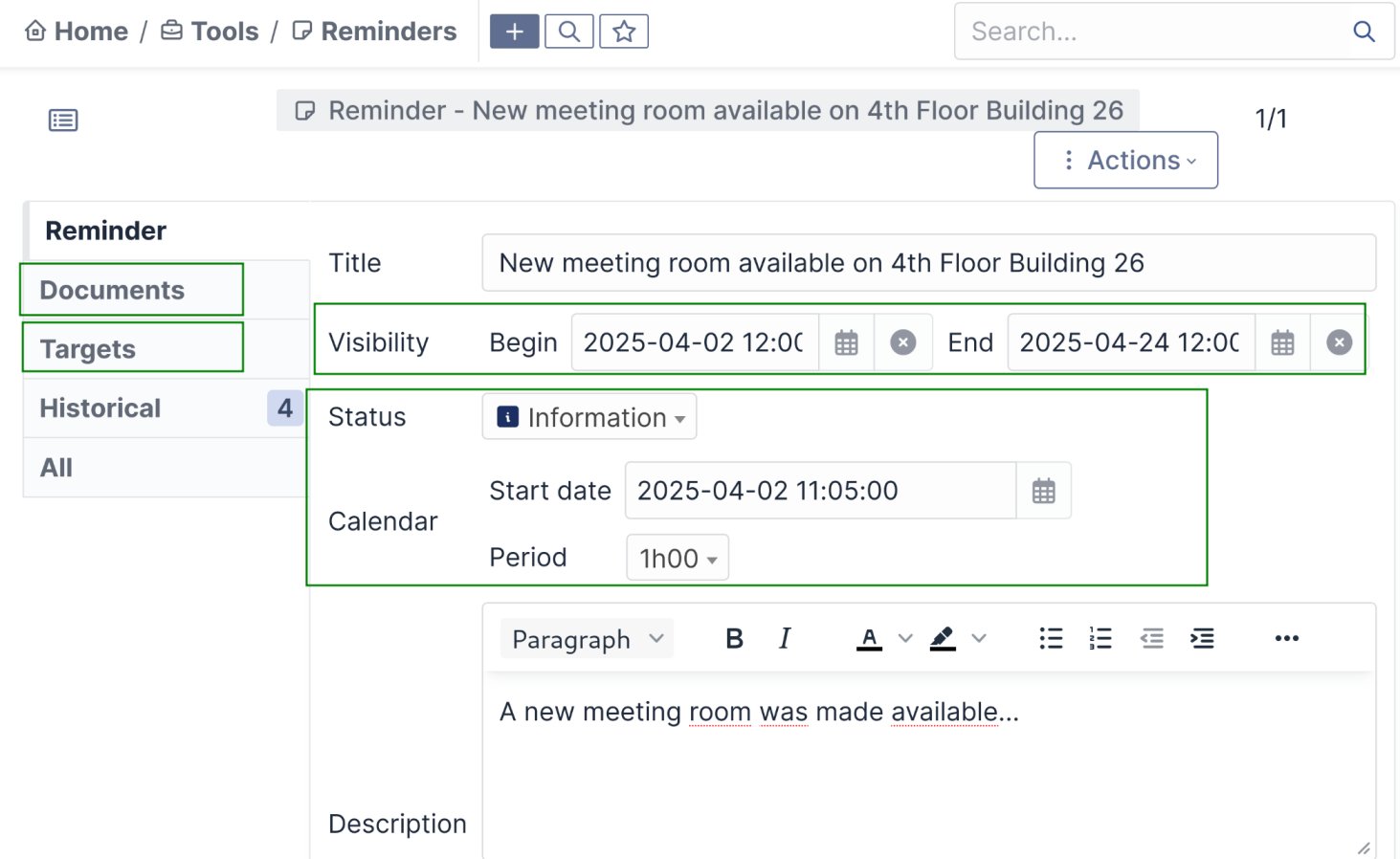
Welcome page communications can bet targeted according to departements, profiles, users and groups, acting like custom dashboards
Thanks to this feature, your users can be informed on the status or the evolution of certain situations. This diminishes the redundancy of tickets and gives up to date information for your users.
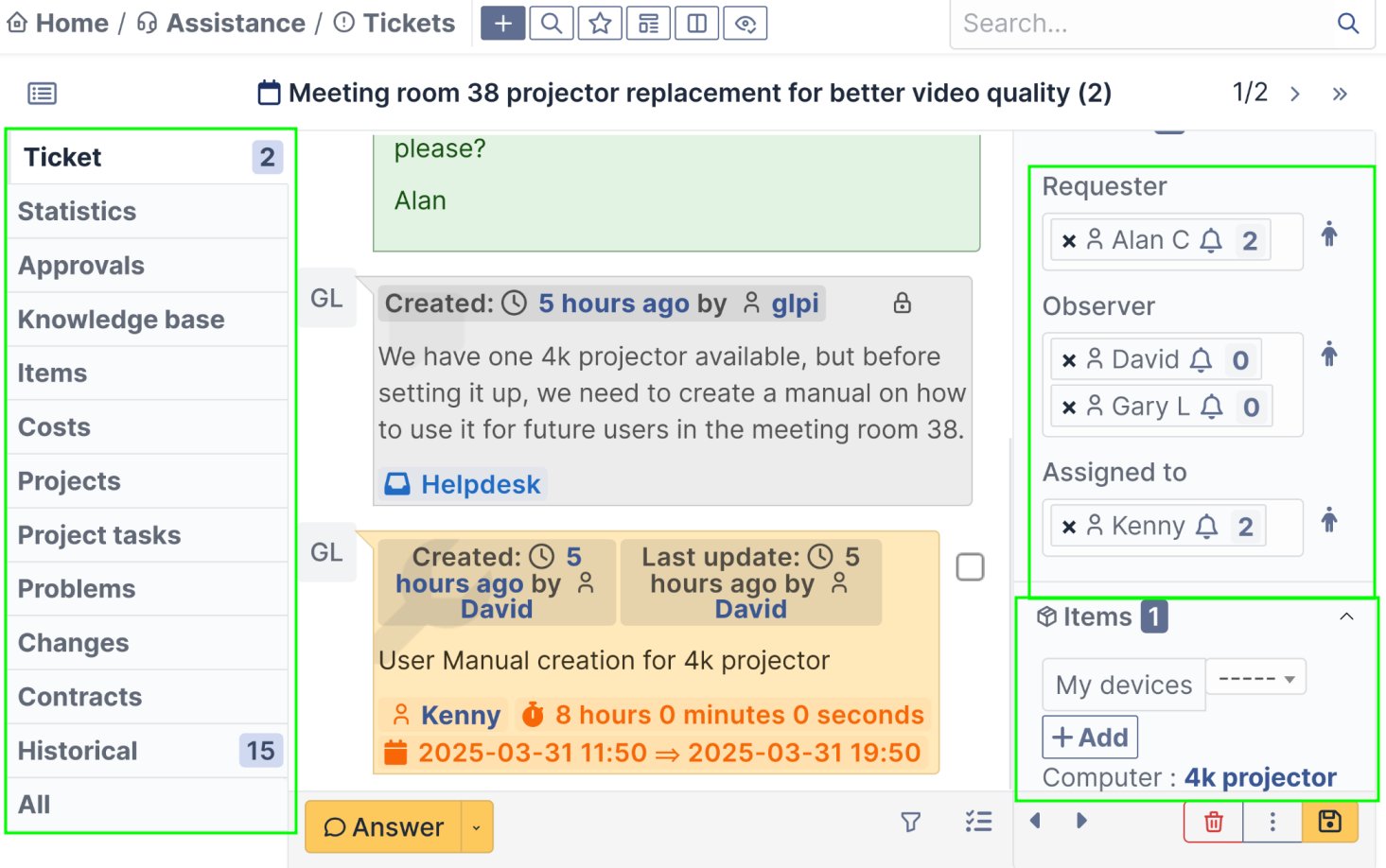
Link any type of resources to your tickets and and give roles to its participants
External persons to your organization may also be added as watchers so that they can follow or answer to the ticket by email without the need to identify.
Improved management of projects, resources, and stocks
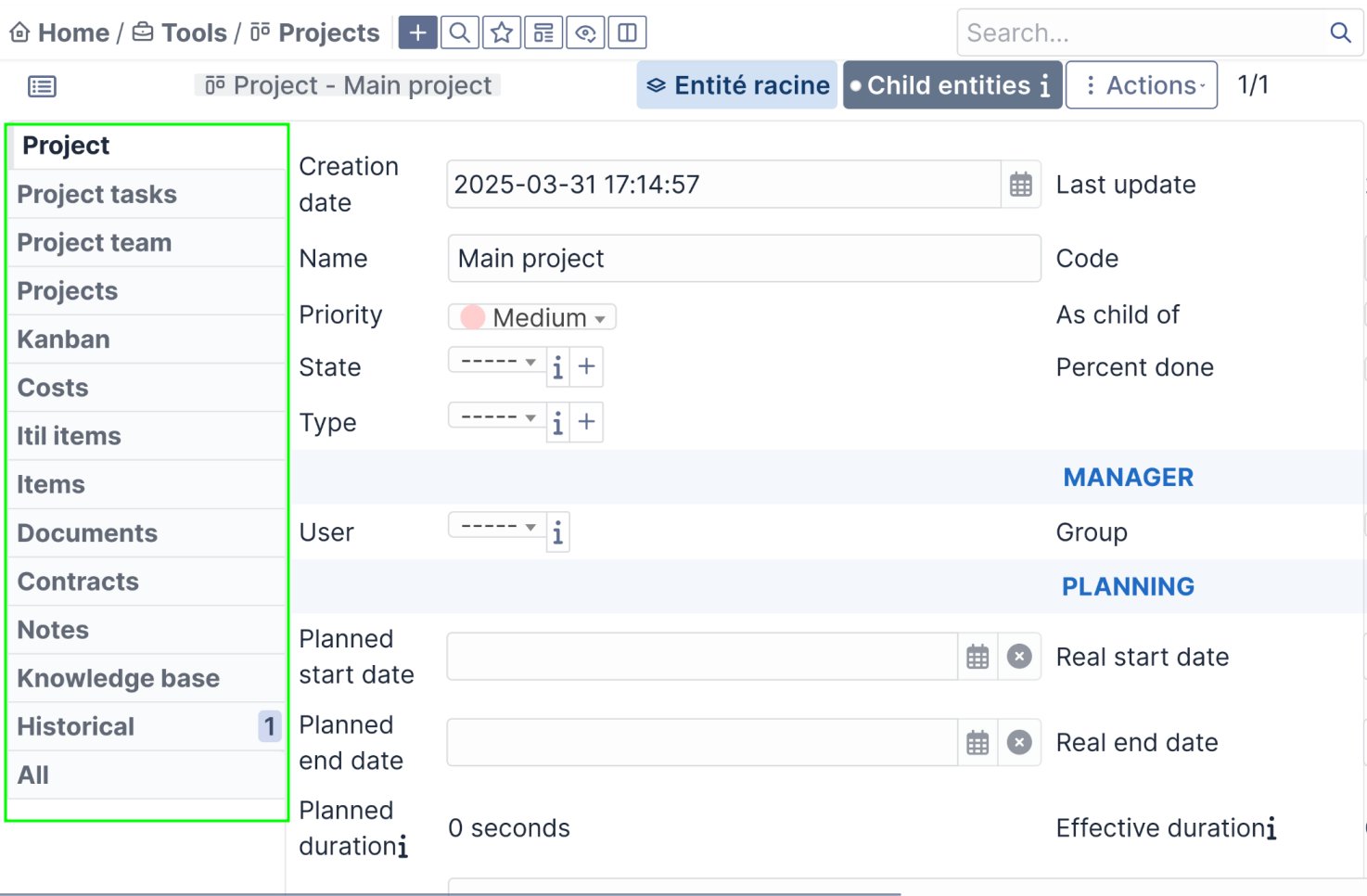
Gérez vos projets en connectant tâches, tickets, ressources, coûts et échéances
Tools like GANTT diagram, the KANBANs help to apply work methods like ITIL, AGILE, SCRUM, ...
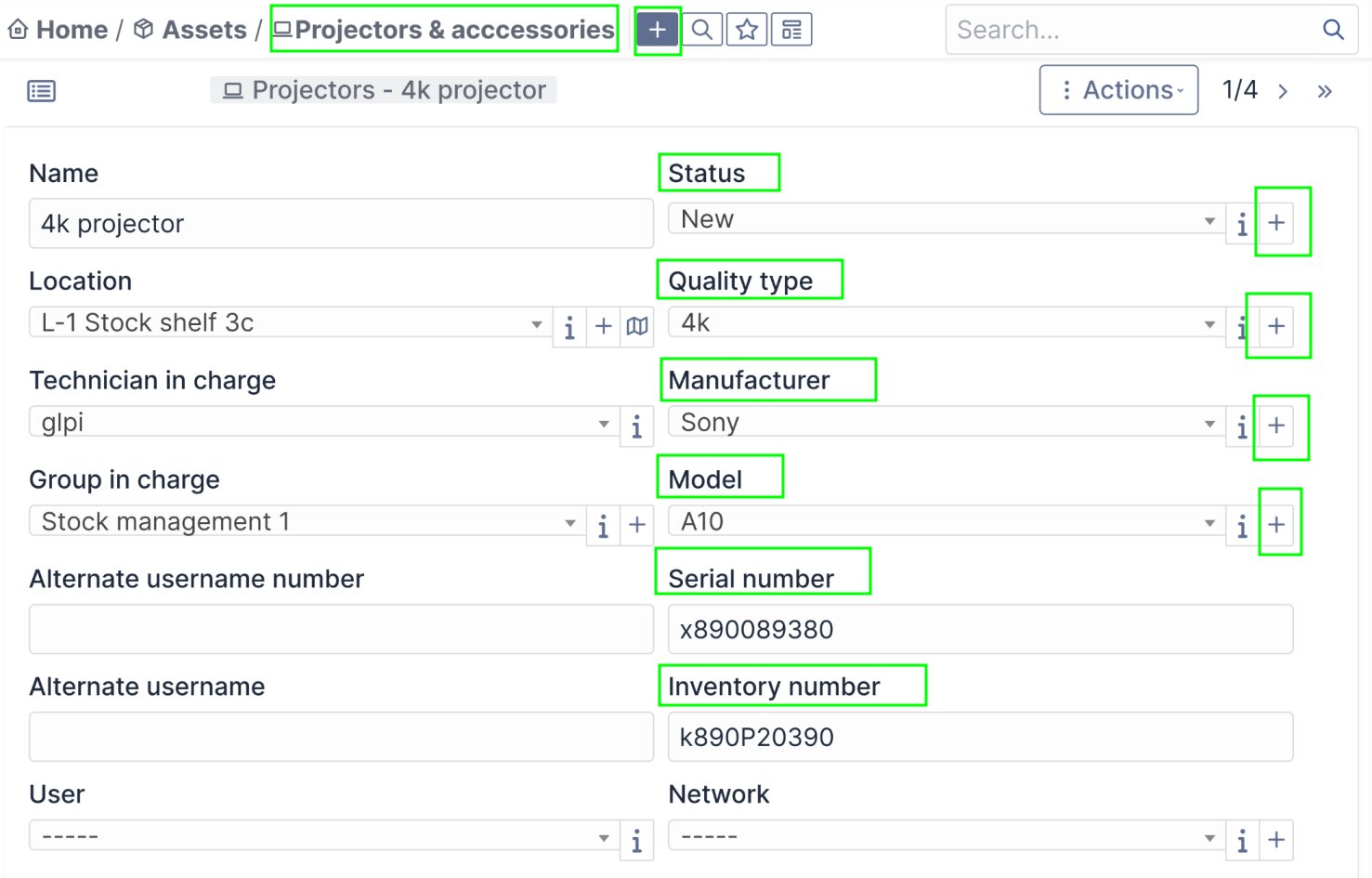
Resources with custom fields, life cycles, and reservations
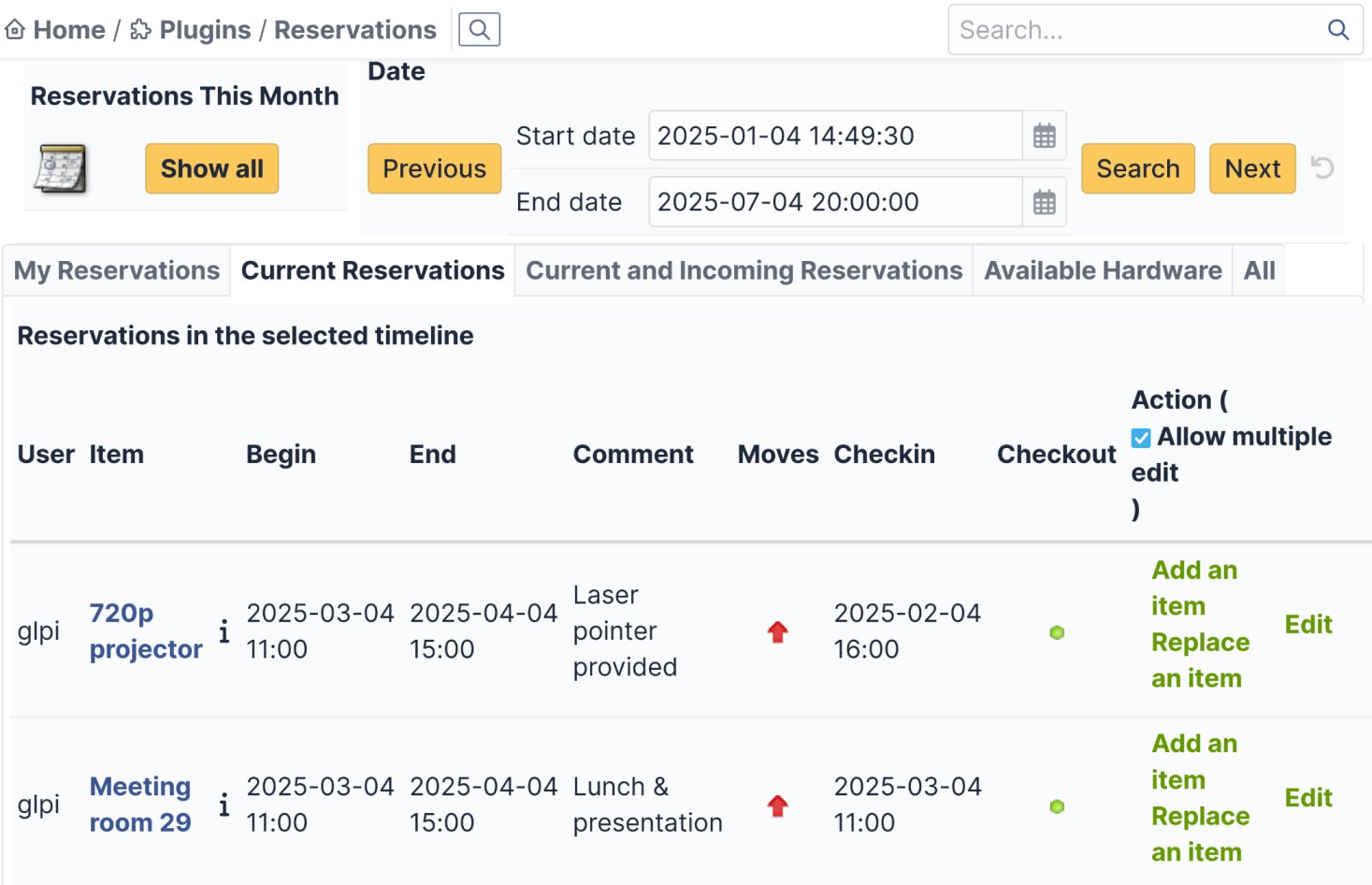
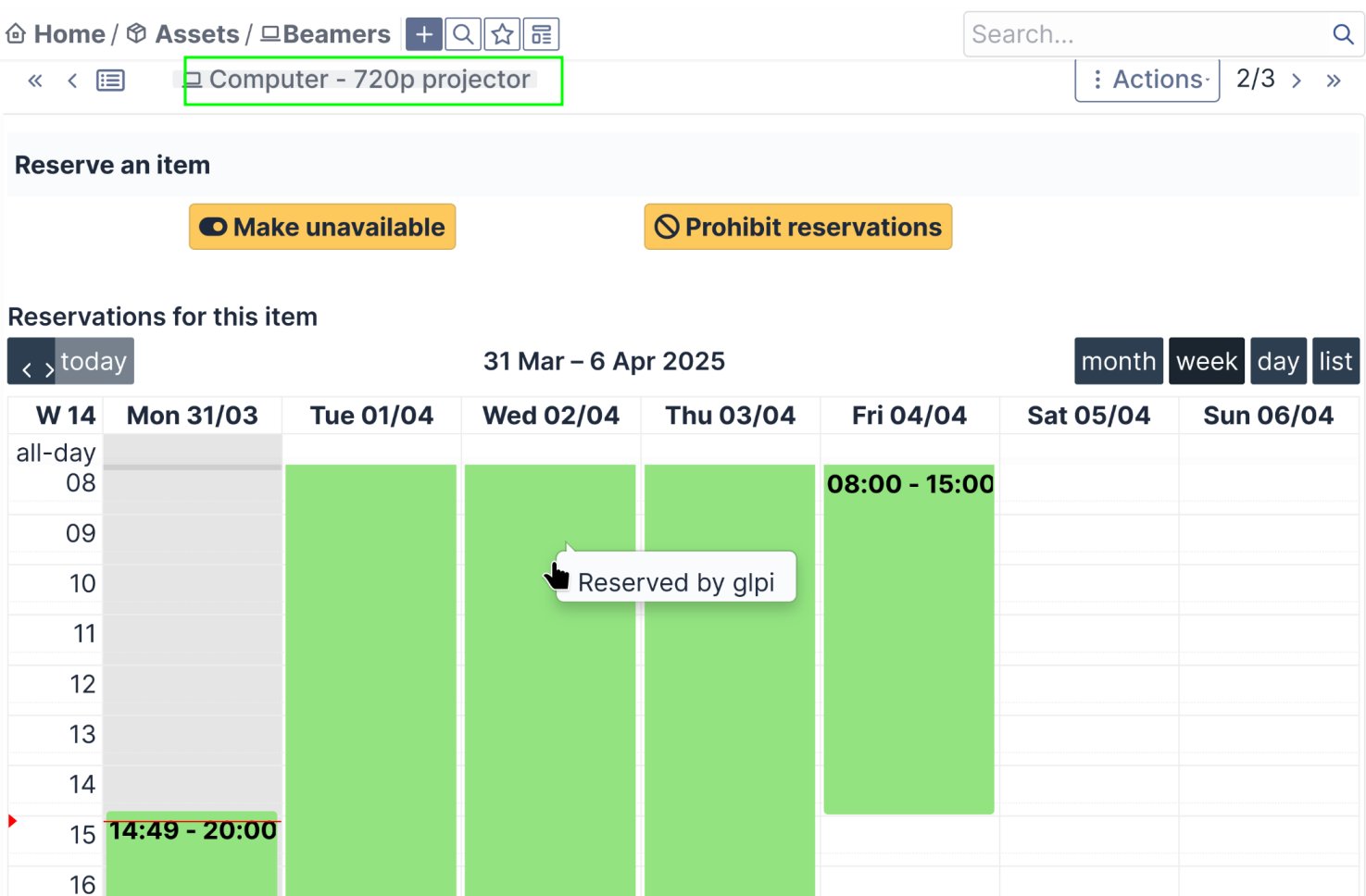
Authorize or not equipment bookings and follow the ongoing reservations directly from the material page or on a global calendar
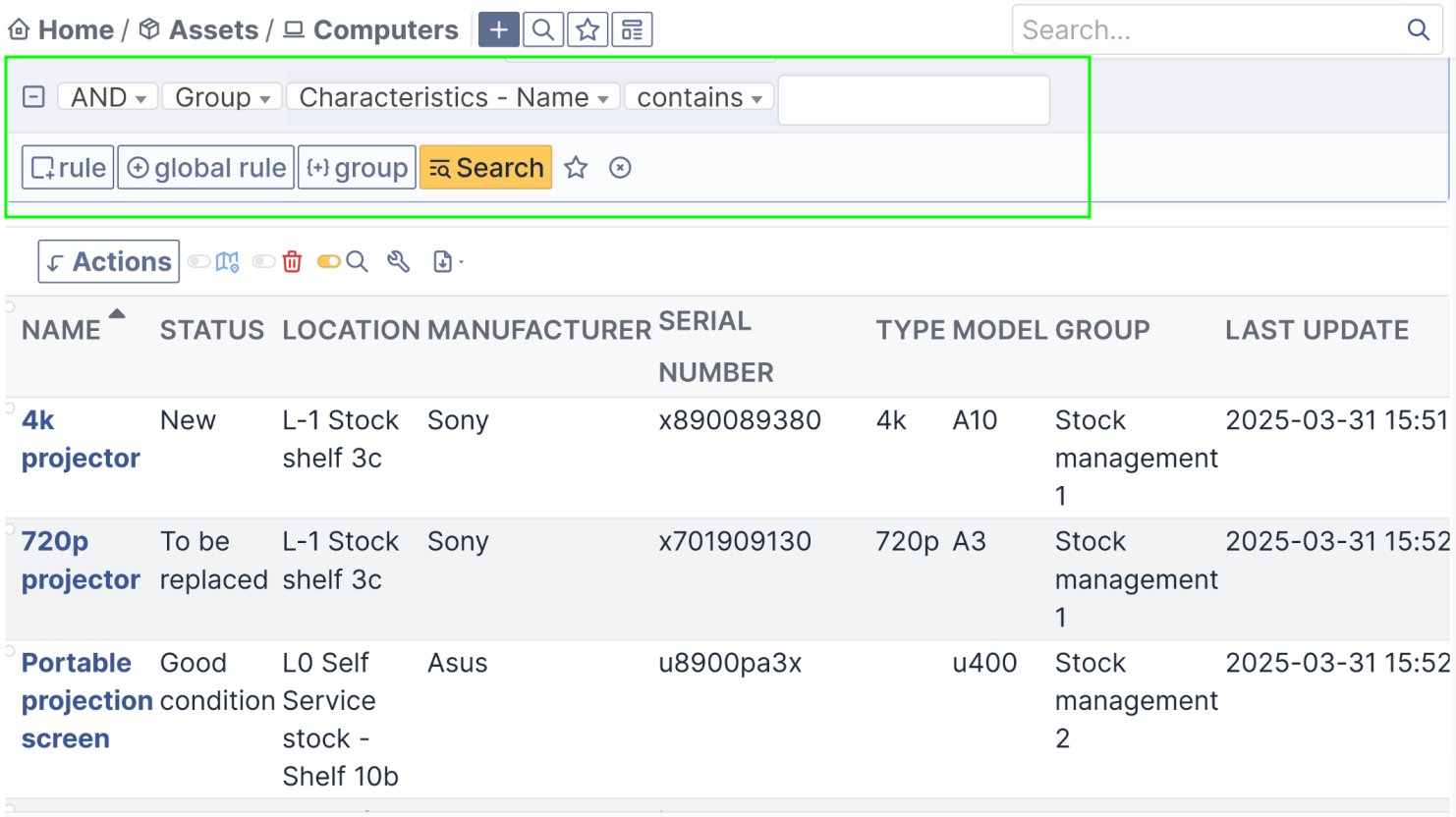
Advanced search can be saved and shared for any type of content
Save your favorite searches and access it easily like you would access to your folders on a mailbox.
Saved searches can be shared and linked to specific profile or groups. This is especially useful for example for new employees.
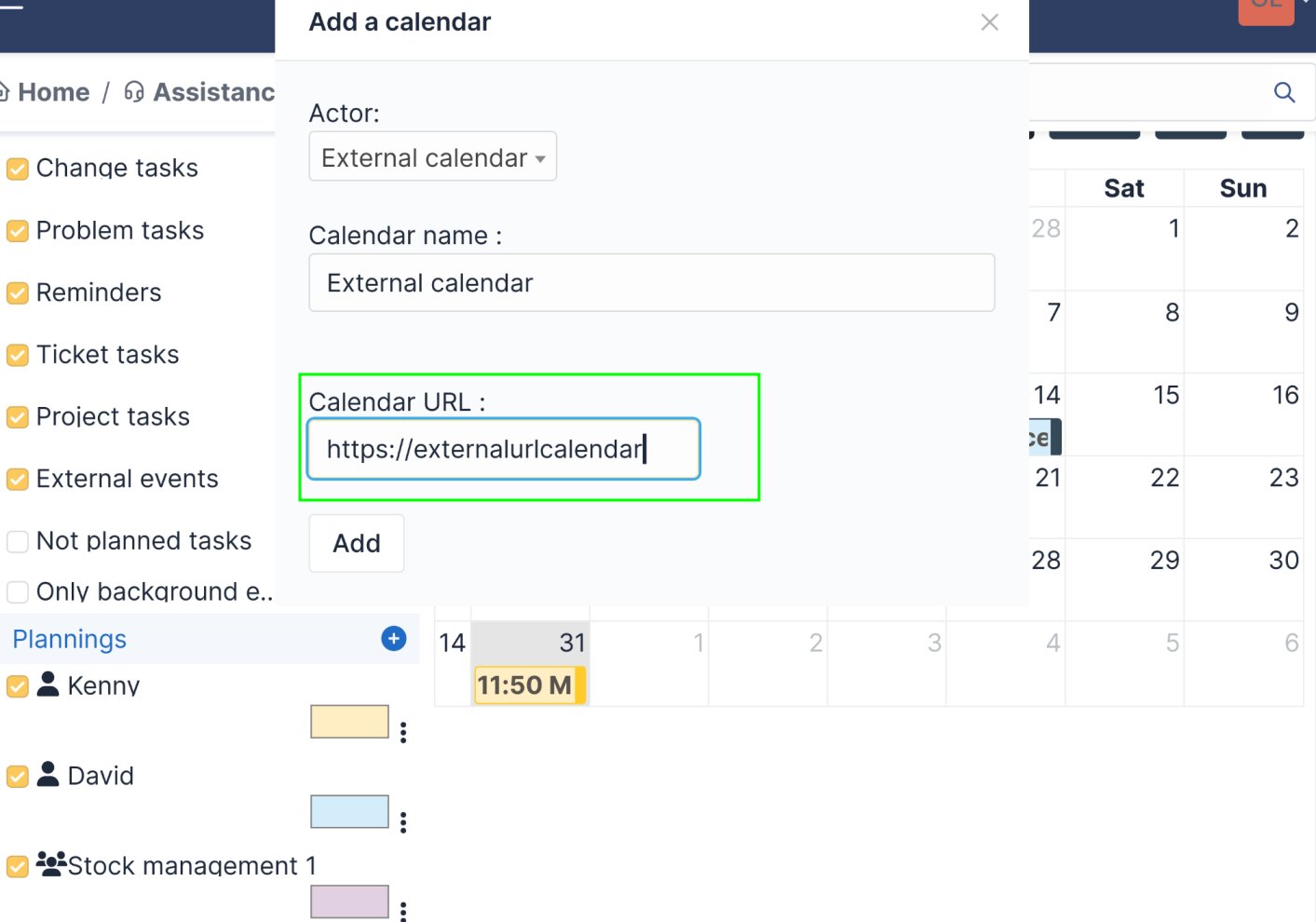
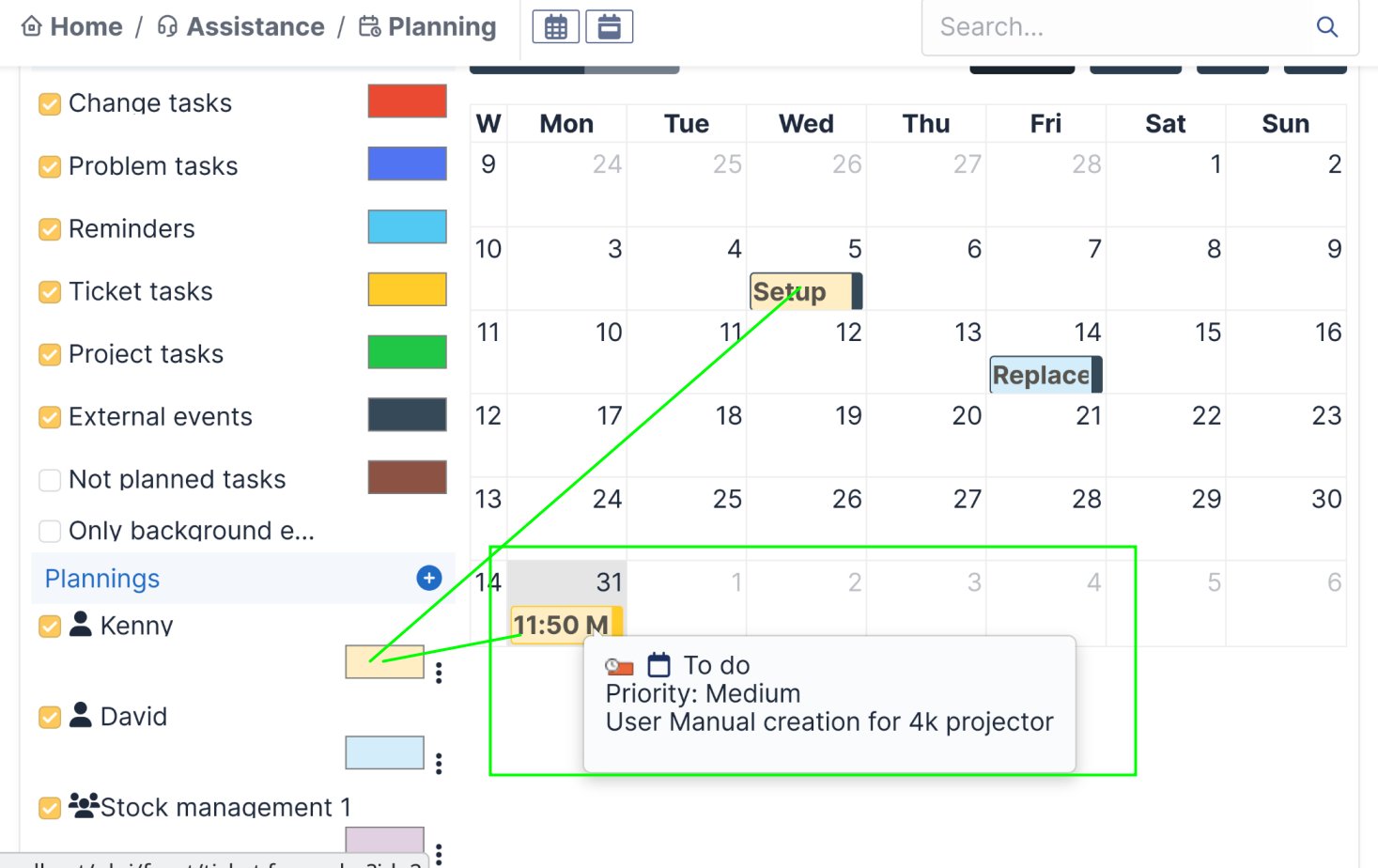
Global planning with calendar import and export
Import external calendars (protonmail, mailbox.org etc.) in the global planning and give them color codes(uni-directional synchronization).
And even more features thought by and for users in order to make everyone’s life easier
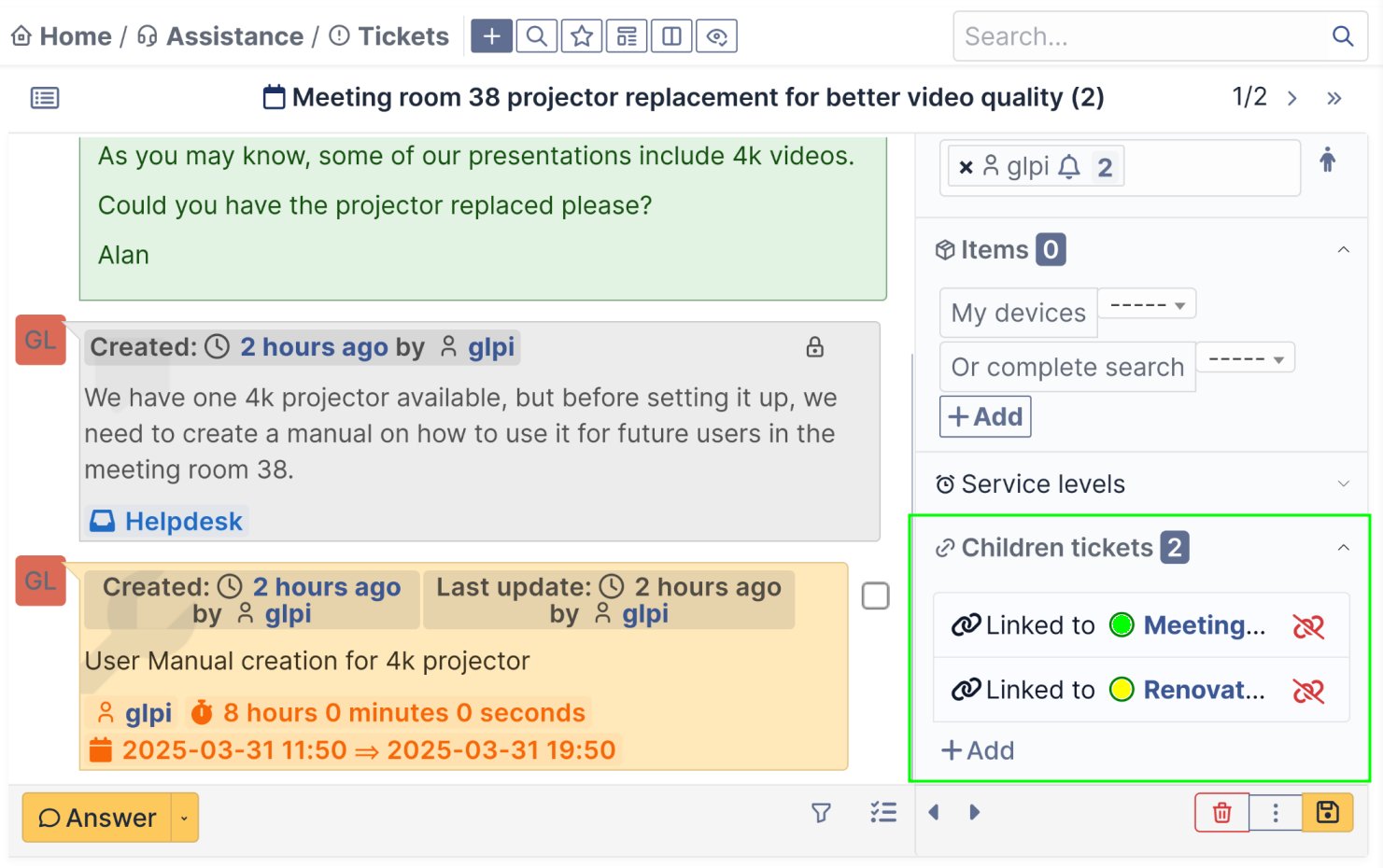
Create secondary tickets(children tickets) whose statuses are visible in the main ticket(parent ticket)
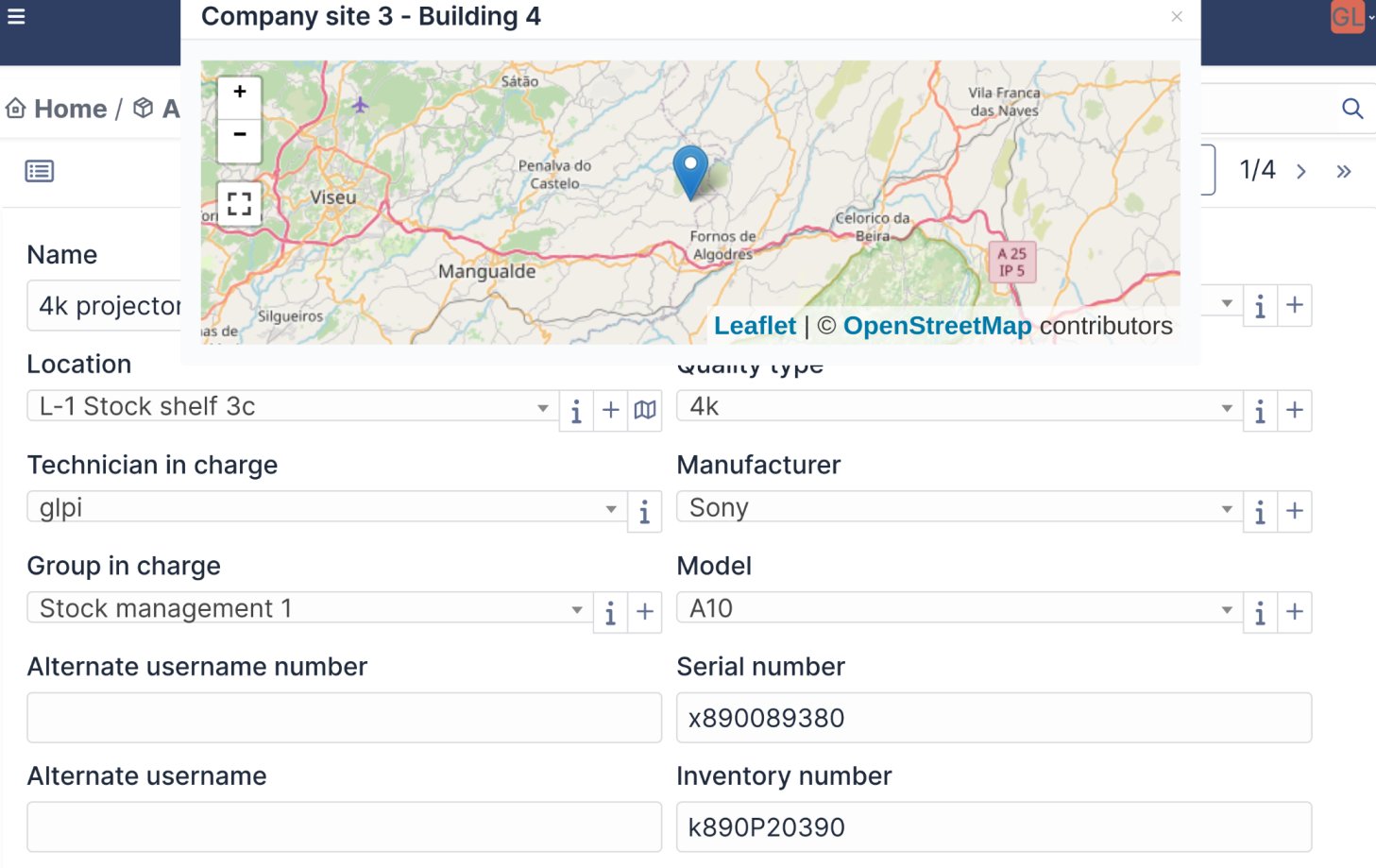
Localization of your resources on an individual or global map
Tickets can have a location on their own but you may also link an equipment to ta ticket to give it an even more precise location.
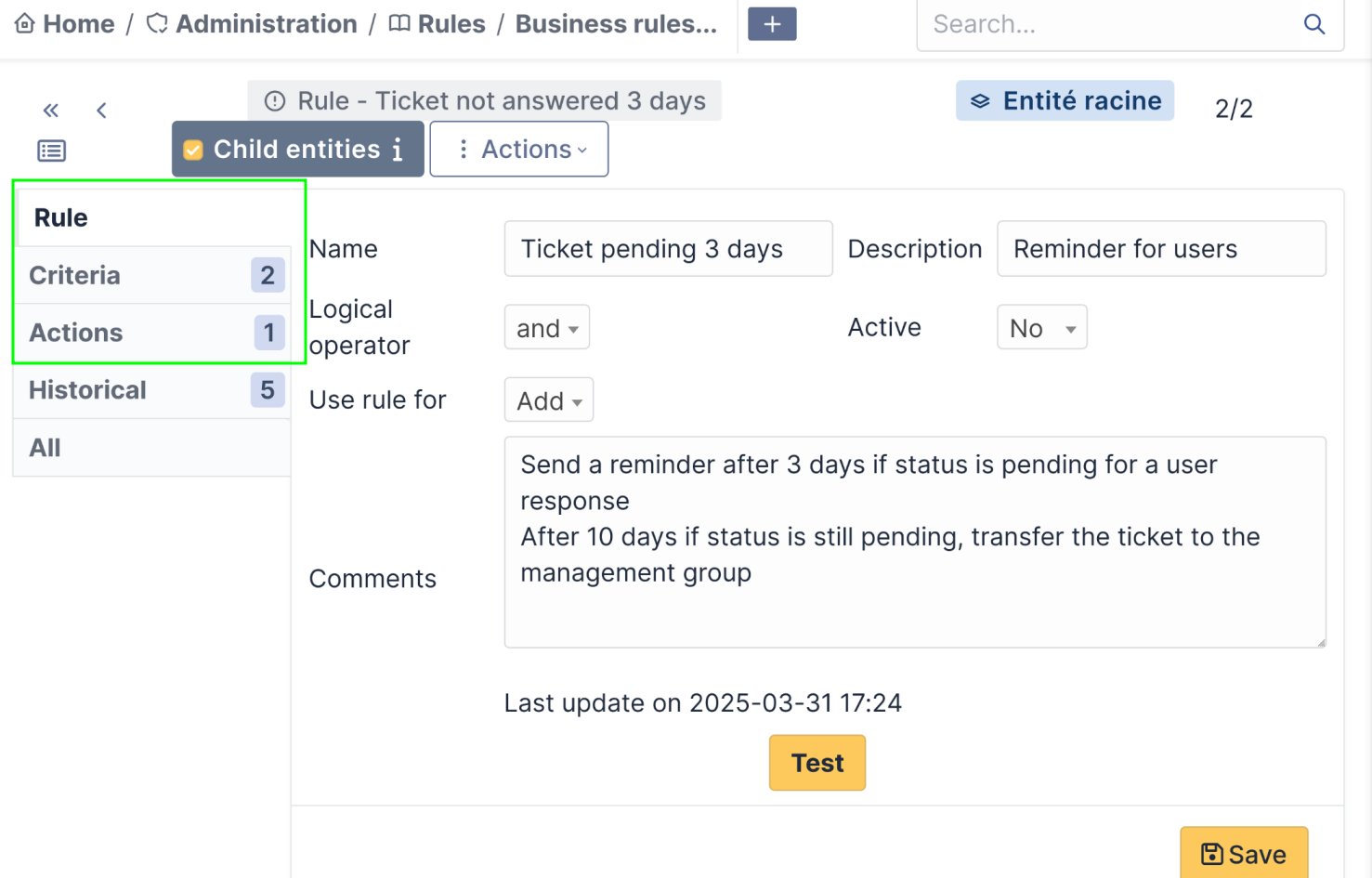
Automated actions according to rules and conditions
-Advanced rule example : Send notifications to a helpdesk manager when after 2 reminders a user from a specific location has not answered to questions asked in its ticket which is in a specific category.
Contact form
We come back to you as soon as possible